
Hi Dear BuddyPress Membership Users,
Hope this message find you are doing well and have happy days 🙂
We received an amazing users ticket about how to let buddypress membership plugin support learndash, we guess mabye many users have similar requirements, we are happy to reply this question publicly:
How do I configure the plugin to make LearnDash Courses open to BuddyPress membership based on user roles?
The question is:
I just purchased your buddypress membership plugin. I use BuddyPress for LearnDash. When the plugin is activated, it works well with BuddyPress, but all LearnDash Pages are not viewable on user accounts. How do I configure the plugin to make LearnDash Courses open to BuddyPress members?
We checked learndash plugin, it is a great LMS plugin, which can help webmaster to ” Easily create & sell courses, deliver quizzes, award certificates, manage users, download reports”, it is a premium plugin.
So the first solution do it by use our buddypress plugin component access control options
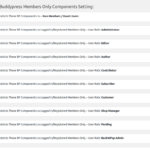
Please login wordpress admin area, then open “bp members only” menu item, click “bp components” sub menu item,you will open “buddypress members only components” settings panel, the URL should looke like https://yourdomain.com/wp-admin/admin.php?page=bpmembercomponentonly, the panel looks like this:

In buddypress membership only components panel, you will find you can open buddypress standard components based on user roles, also you will find you can open customized components too, please just enter your learndash buddypress plugins’ component name in “open customized components” text area, then all these customized components will open to learndash users automatically, you can settings access permission to open a buddypress component or restrict a buddypress coomponent based on user roles.
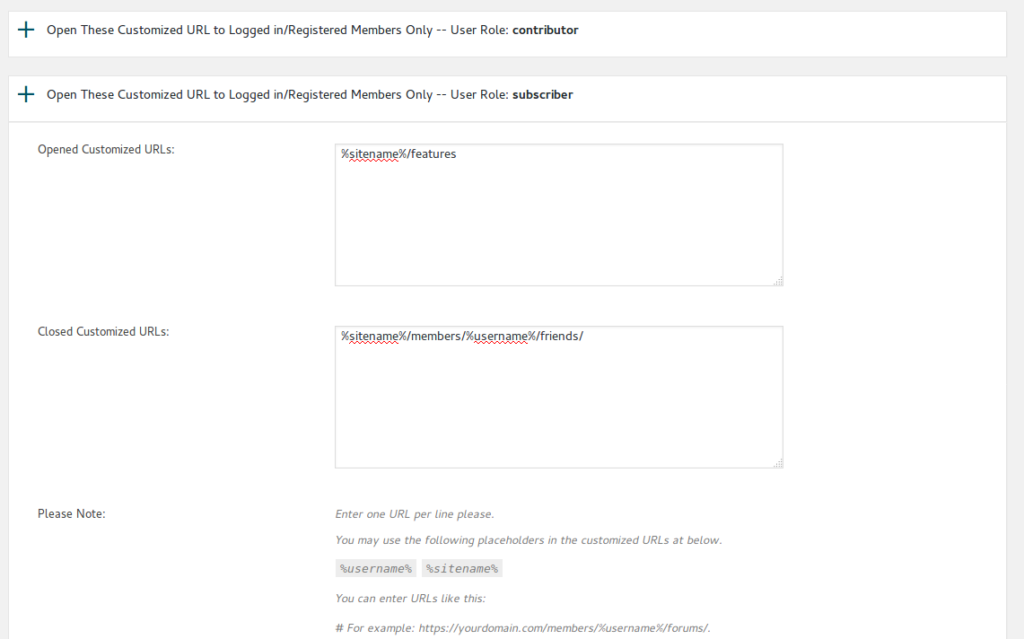
Of course, In some times, if your 3rd plugins did not add a component name, when we have another solution, you can still enter URLs of any pages via buddypress membership “customized URL Restricts” panel, please just enter Urls in “Opened customized URLs” or “Closed Customized URLs” option based on users roles, it looks like this:
conclusion
Our buddypress membership plugin have a series of options / switches that restrict buddypress membership access permissions, if your buddypress plugin support buddypress component API, then all of this kind of 3rd plugin can works well with our buddypress membership plugin, else, you can use our buddypress URL access control list to restricts your pages which generated by 3rd plugins 🙂
please note, we are not promise support all plugins with our buddypress membership plugin automatically, that is impossible, if these solution do not support your plugin, you can still hire us to integrate your 3rd plugin with our buddypress membership plugin.
Thanks, have a blessings day with your family 🙂
Best Regards,
Buddypress Membership Plugin Support Team


