Hi Dears,
Based on feature requests from dear buddypress membership users, we have developed a new buddypress members only 3.9.0 version, in this version:
Added “BuddyPress Menu Visibility Control by User Roles” Addon
A few users submitted a few feature requests, in which they hope hide their buddypress menus to guest users, and another users said he hope different user roles will find different menus in the same menu bar, because their have a few kinds of user type, for example, they hope support can find staff menu item and customer can find download menu item… and so on, based on their user roles, they will see related menu items, so buddypress admin will not need make a long menu bar at the top of the buddypress site 🙂
Based on these amazing feature requests, we are happy to report you that we have realize it in buddypress members only 3.9.0, if you upgrade to buddypress membership plugin 3.9.0:
You will find the “Menu Visibility Control by User Roles” Addon in buddypress members only addon menu item.
If you enabled “Menu Visibility Control by User Roles” Addon, you will a new buddypress members only menu “Menu Visibility Control”
In “Menu Visibility Control” panel, please checked “Yes, I will enable menu Visibility control by user roles” option and click submit and read our detailed description
If you checked this option, We will add a menu Visibility list option for each menu items at wordpress standard menus setting panel.
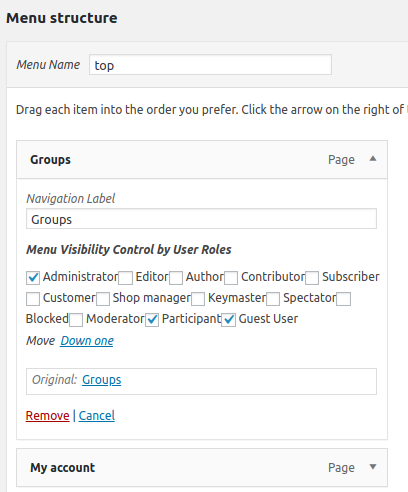
Then in “Menu structure” panel, if you click any menu item, you will find “Menu Visibility Control by User Roles” option, and we have listed all user roles in here
You can apply visibility controls to each menu items by user roles, for example, you can only allow customer user role to see download menu, subscriber & customer user role can see product menu… and so on, we make a few screenshots on our test sites:
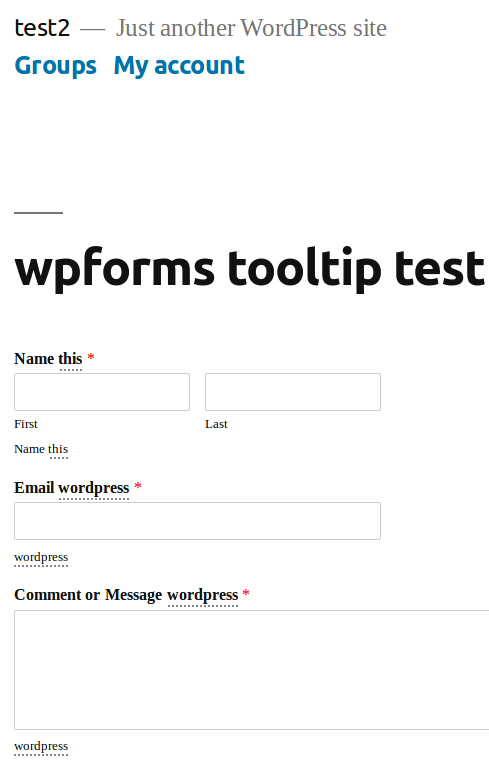
You can find in screenshot #1, guest non-member users role can only see a few menus

guest non-member users role can only see a few menus
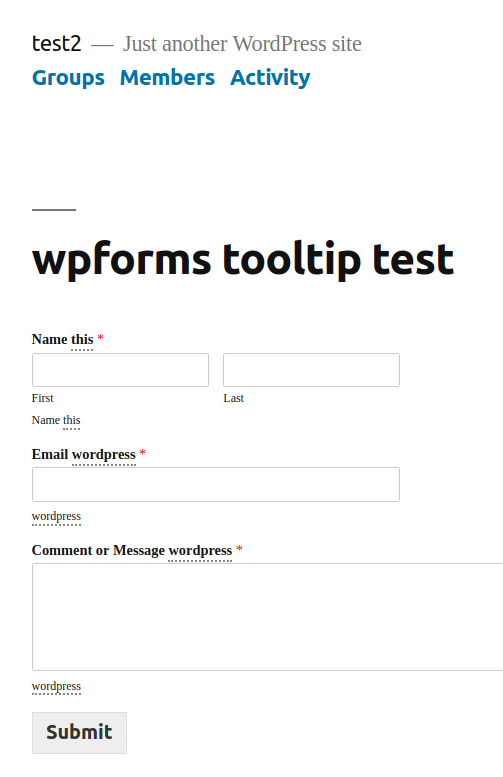
And in screenshot #2, subscriber user role can see more menus

subscriber user role can see more menus
In front end, different user roles will have different menu item, based on your settings in back end, back end looks like this:

menu visibility in appearance menus panel
Please note, once you activated Menu Visibility Control addon, by default, all menu item in frontend will be hidden, you need setting “Menu Visibility Control by User Roles” option for each menu item
If you have any more amazing buddypress feature requests, please don’t hesitate to tell us 🙂
Thanks, have a blessed day with your family 🙂
Best Regards,
BuddyPress Memebership Support Team