
Hi dear BuddyPress membership users. I hope this message finds you are doing well well and having happy days with your love ones 🙂 We got an buddypress user’s ticket:
Hello,
We have created a members area for our wordpress users. There, all users had access to their profile for editing.
As of today, the member page no longer exists. In other words, the page where all members can see the other members and edit their profile.
Plugins have already been tried. This is not the problem.It seems that the member page no longer exists.
How can I create a member page?
Kind Regards,
Our buddypress members only plugin support replied to the user:
Hi,
Hope you are doing well and having happy days with your family 🙂
Thanks for the message 🙂
We are very happy to help you 🙂
Because we have many plugin version with different functions, would you please tell us:
1: the plugin version you are using
2: the URL related with the problem
3: a little more details to tell us how to find the problem in the URL
Thanks, have a blessed day with your family 🙂
Best Regards,
Buddypress members only plugin support
The buddypress user replied:
Hello,
Thanks for the feedback.
1: I have version 12.0.0
2: the URL is:…
3: We have a closed member area here. And we used to have a page where all members were visible. Here every member could also edit their profile and view the profiles of other members. Unfortunately, this member page is now missing. I don’t know where this is due an update. I have already switched off all other plugins to see if another plugin is responsible. Unfortunately, the page is still missing. I also don’t know how to create a new page with all wordpress users. That would probably be the quickest and easiest solution.
Our buddypress membership plugin developer checked her site and this ticket, okay, this problem is not caused by our buddypress plugin, it seems the user deleted the members page which created by the buddypress plugin, we’d like help the user to fix this problem — although it is not our work 🙂
How to create a buddypress members page and how to specify this page as the members page in buddypress?
1: login your wordpress site as admin
2: in wordpress dashboard, navigation to pages menu item, then click “add new page” link at the top of the page
3: now you can add a new wordpress page, what you need to do is just enter “Members” or any other text in the wordpress page title field, and click publish button to publish the wordpress page, it looks like this:
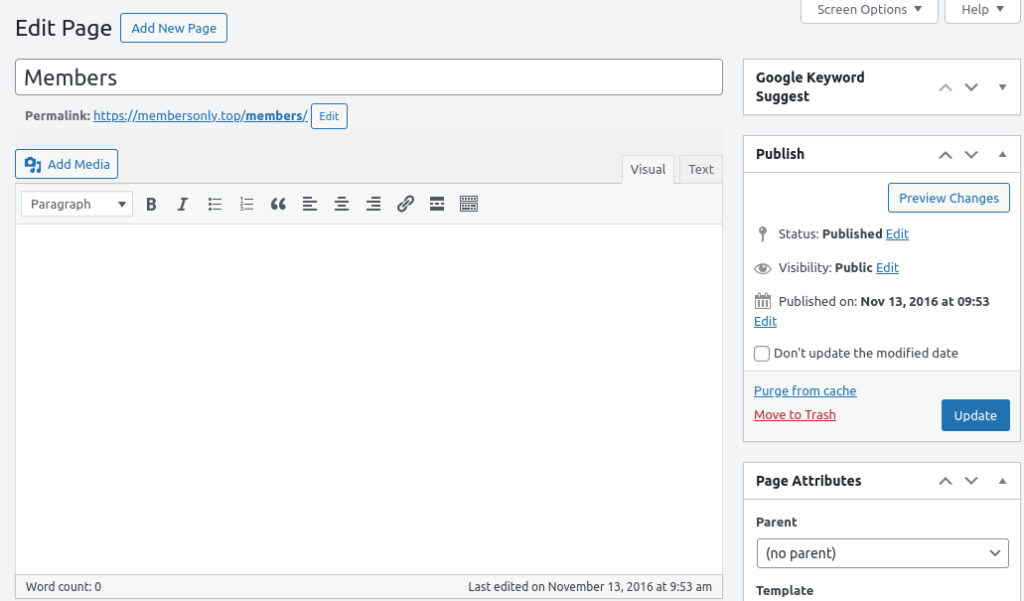
create a buddypress members page
4: then in wordpress dashboard, navigation to settings menu item, then click buddypress sub menu item, you will open BuddyPress Settings panel, it looks like this:
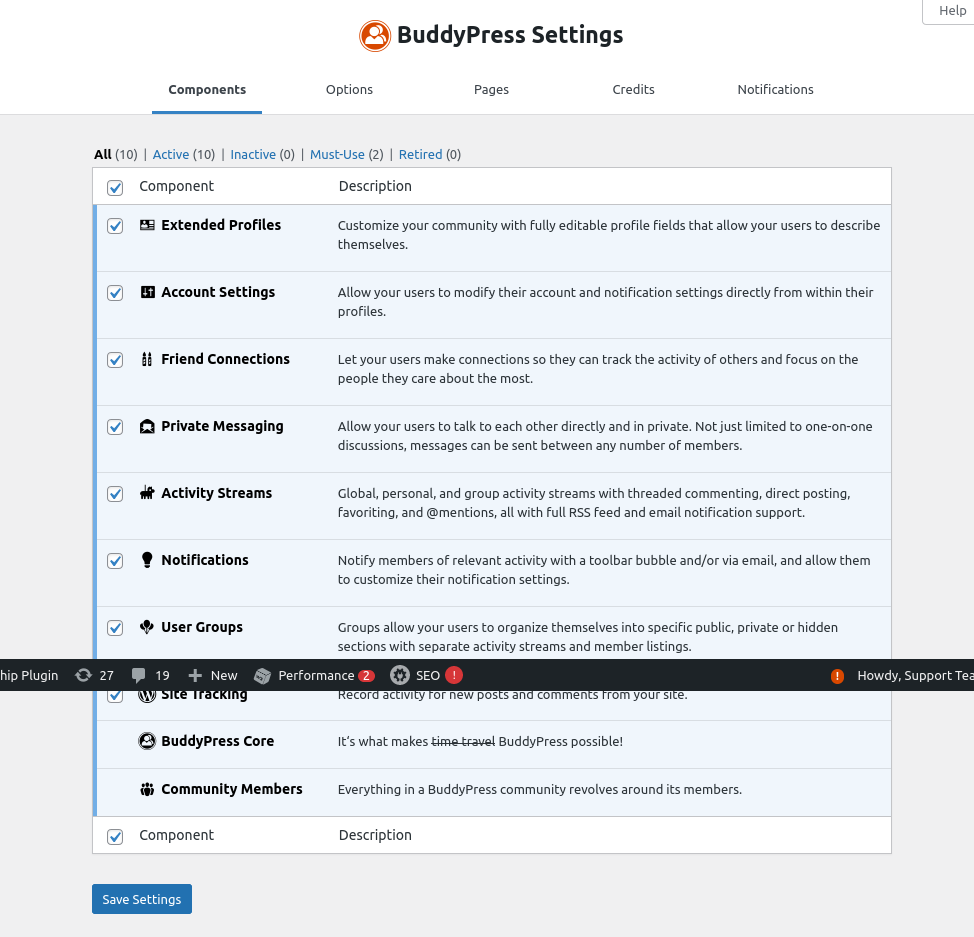
buddypress settings panel
5: As you can see, at the top of the buddypress settings panel, there are a tab “Pages”, please click the tab “Pages”, you will open “Associate a WordPress Page with each BuddyPress component directory” panel, it looks like this:
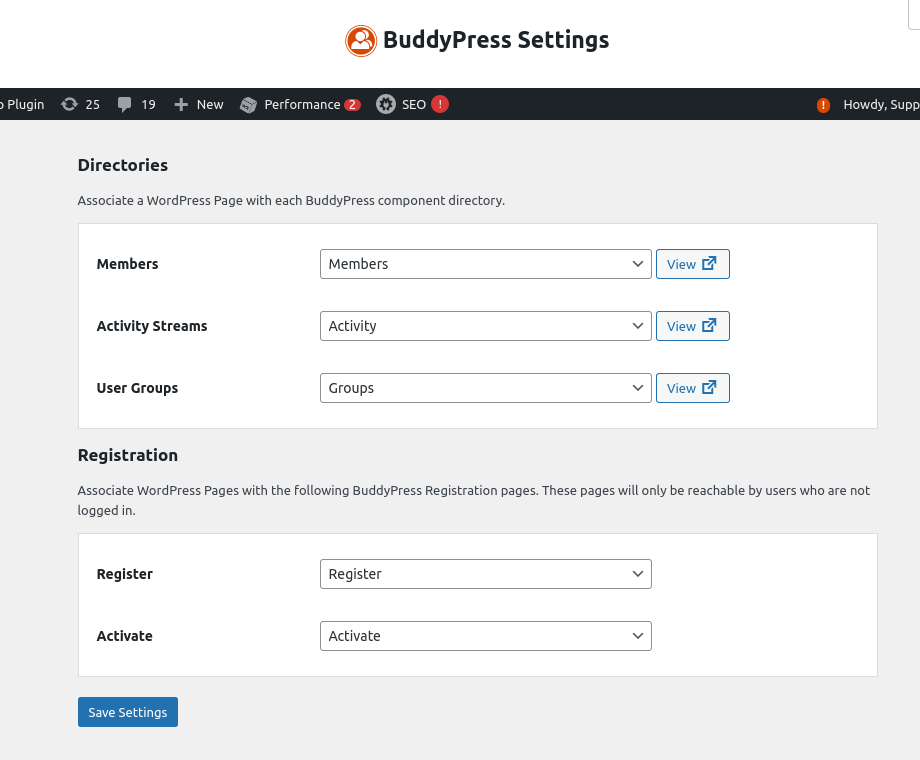
Associate a WordPress Page with each BuddyPress component directory
6: In “Associate a WordPress Page with each BuddyPress component directory” panel, please select a page as “Members” component, and click the blue “save settings” button
Then in front end, when you open the members page, you will find in the page, all members can see the other members and edit their profile. 🙂
Hope this have a little help 🙂
Thanks, have a happy day with your family 🙂
Buddypress membership plugin support


Leave a Reply
You must be logged in to post a comment.