
Hi Dear BuddyPress Membership Plugin Users,
Hope this message find you are doing well and have happy days with your family 🙂
We are happy to report you, BuddyPress Email Domain Blacklist Plugin 2.0 Released, in this version, based on user’s feature request, we support one click to Import BuddyPress Spam Email Domain via excel csv file 🙂
How to Import BuddyPress Spam Email Domain Blacklist From CSV File in One Click?
You can import buddypress spam blacklist from csv file in back end by this way:
1: Login wordpress admin area
2: Click “Blacklist Whitelist” menu item
3 Click “Import Blacklist” sub menu item
4 You will open “Import blacklist from csv” Setting panel, it looks like this:
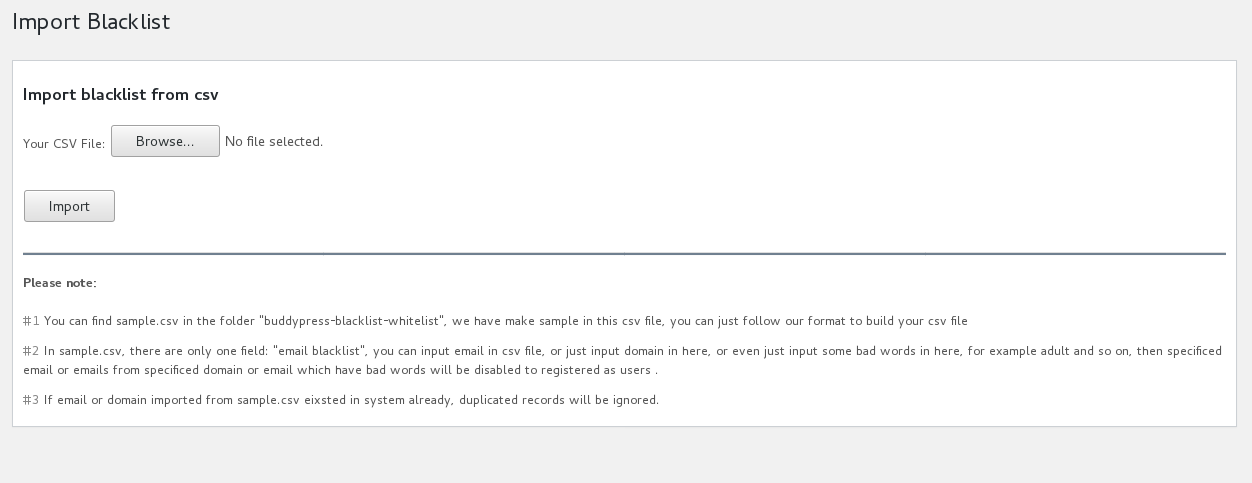
buddypress email domain blacklist
Just $5, you will stop spammers register as your member and stop them publish in your buddypress network!
Thanks, have a blessed day with your family ?
Best Regards,
BuddyPress Membership Plugin Support Team


Leave a Reply
You must be logged in to post a comment.